Category Archives: Tripod

Titanic Adventures in the North Sea

Released: January 22, 2025
Edited: April 3, 2026 (add links)

To celebrate our December, 2024 retirement my wife and I booked an Aurora Borealis Cruise with Viking. We had previously cruised with Viking for a Rhine River cruise which I never documented, but briefly describe here for context. The river cruise occurred in November, 2021 from Basel, Switzerland to Amsterdam, Netherlands. It was originally scheduled to depart in May, 2020 but… COVID! We stuck it out until it was actually possible to go.

About the images: I reserve all rights to use of these images for any commercial purpose. You may use them as backgrounds or wallpaper for your personal use, but any other use requires a license. The majority of these images were taken with a Samsung S24 Ultra phone.

So, the great retirement getaway was meant to combine two of our goals: Seeing the Aurora Borealis again (we were fortunate to see them in December, 2023 in Fairbanks, Alaska), and visiting the Fjords of Norway. I had suspicion that the cruise might be dicey as the North Sea and Norwegian coast are rather famous for big seas and fierce winds in winter. Well, there were big seas and fierce winds! The first day of cruising was a stop in Ijmuiden (Amsterdam) and the weather was fabulously sunny. We enjoyed a canal boat tour.

The “Dancing Houses” of Amsterdam. They all lean in different directions due to being built on wooden poles that are hundreds of years old.

Sailing out of Amsterdam toward our next destination of Narvik, Norway, we knew there would be almost 2 full days of sailing as Narvik is quite far north.

Leaving Amsterdam looking over the pool deck and retractable roof.
Foreboding clouds approaching.

But despite the captains warning that seas may be a bit rough and encouragement that our course would spare us much of the ruckus, there was a big squall starting and we were not able to outrun it. By about 10 PM, the ship was rolling about 5 degrees side to side as measured by my bubble level app. Before the big rolling I measured the listing as 6.8 degrees starboard and to port (during the biggest heaves, I measured 9.5 degrees sway to each side!)

Tilt at 3:17. The worst was 9.5!

The Norwegian Sea wave forecast for 2 PM Norwegian Time (source) looked menacing. The crosshair is approximately where I expected we’d be at that time, but what you can’t see is that the storm was coming up in the direction we were sailing. Here you see wave heights forecast to as high as 10.5 meters (34 feet).
At about 11 PM the rolling measured 6 degrees side to side on my bubble level. I wedged my boots into the closet door to stop it from slamming, and stowed all the breakables. I know several folks had their sliding doors break the closet they were in.

If This Boat’s a Rockin’

By 1:00 CET, the ship was rolling up to 7 degrees side to side. I awoke at 1:30 CET due to the tossing and with my wife’s blessing went down to the first deck to watch the Washington Commanders vs the Tampa Bay Buccaneers in the executive lounge (where the internet was better). While there, and about 10 minutes before the end of the game the BIG rolling began at about 3:45.

The captain estimated the winds at 100 mph gusts, and seas of up to 37 feet. His first efforts were to turn the ship to keep the wind from causing the rolling. However at some point, that seemed to make matters worse. The first big rolling jolt toppled marble-top tables, flung open cabinets and contents went spilling. Two ladies came down to guest services on the first deck where I was because their water carafes and glasses had shattered in their stateroom. Another guy down there (Matt) said he thought he should go check on his girlfriend… I should have done the same. While the football game was still going on I captured some movies and still shots, and when the game ended (with a bounced-in walk-off field goal!) I returned to our stateroom (6092 at the port side stern) via the 7th deck where the pool is located. The pool area had massive mayhem as you can see in the photos below. I took the stairs because the elevators were making ominous banging noises in the rolling sea.

Bodily Injuries

My wife attempted to keep items from flying off the desk in our stateroom but was instead launched from the bedside to the window. That wasn’t enough injury, so as she got up after being hurled, a tray with daily news and menus sailed off a table and struck her in the forehead above her left eye. It broke the tray and left her with a goose egg that went black and blue under her hair and over the next 6 days turned into a black eye.

By the time I got back to our room, I was measuring 9.5 degrees tilt from starboard to port (19 degrees total). I was able to flag a steward to bring an ice pack for my wife – and our cabin attendant kept us supplied with ice ever after.

We met several passengers with black eyes, and others recounted broken ribs a broken finger, a broken toe, and a broken nose. So, yeah, it was rough for many of the 998 passengers and 465 crew. Many of the crew told us they had never been in such difficult seas. Many of the injuries were from being thrown out of bed into the nightstands – but that tended to occur for those on upper decks (6, 7 and 8). Another person recounted getting hit in the shin by the shower door as they were on the throne. One of the black eye situations was a woman who was thrust from the bathroom to the sliding glass doors. She had a concussion and lingering pain, and double black eyes. The days following the rough and tumble seas reminded me of the scene in Jaws where they compared scars with one another.

We can’t speak highly enough of the great care, professionalism and kindness shown by the crew. Our cabin steward, as I noted took excellent care of us.

The captain, Rune Loekling, made announcements frequently through the night reassuring everyone that the ship was built to take the conditions. He asked everyone to stay in their staterooms for safety and that persisted through breakfast and lunch (the crew brought fruits and boiled eggs to the room for a late breakfast, and a cooked meal with salmon and beef for a late lunch. We diverted to Ålesund, Norway, arriving in port at about 21:00, though once in the protected fjord the weather no longer rocked and rolled the ship so furiously and folks were able to leave their staterooms to get dinner at about 18:30. It was a total of about 19 hours of “motion”. My main concern is that much could have been done to minimize the damage by encouraging passengers and crew to stow breakables (many people had water carafes and glasses on slippery surfaces and those resulted in broken glass). Viking could even provide a checklist of things to do when heavy seas are expected or encountered.

20250113_095941

The captain kept mentioning that the “pounding” was a normal occurrence of the bow hitting the waves. I was curious how much different it was for those near the bow so I ventured to the port side of the pool deck (7th deck) at almost 10:00 where I could record the seas. Watch and you’ll see a huge splash as the bow hits a wave. Also, I’m not sure what it was that was hanging down, I noticed it wasn’t there later, so perhaps something else that had been damaged in the storm. I also took the opportunity to get more ice for my wife’s head.

Ship Damage

Damage was rather extensive. Not many people saw it because they were doing a lot of cleanup while passengers were encouraged to remain in their staterooms.

Aftermath of the First Big Rolls aboard the Viking Vela

While the pool area damage was the most striking, I noticed lots of bits of damage, including 4 washer/dryer units that toppled in the laundrette and damaged wall panels,

Notice the dented wall panels from the washer/dyers falling over.

The Aquavit lounge outdoor in the stern was pummeled with sailing marble-top tables and was smashed off its mounting, and much of it’s (quartz?) exterior was battered and smashed along with perhaps a half dozen shattered table tops. Indeed one of the outdoor glass barriers at the side of the stern port side was shattered, though still intact.

Finally the grand glass and steel staircase leading up from the Explorers lounge on the 7th deck in the bow had a large curved panel that was shattered and removed. The staircase was roped off for the rest of the cruise though I didn’t observe any other obvious damage to the stairway.

There were several places where either buckling or impacts from heavy falling items damaged the floor tiles. They replaced floor tiles near the starboard World Cafe entrance, at the starboard exit of the Explorers lounge. On the second floor there is a two-stage exit from the atrium to the outside of the ship. During the melee the forward most port side door was wide open (probably held so by the wind), and the inner sliding glass door was leaning inward with spray and was also half open with wind and rain howling in. I pushed the inner door into its channel to reduce the wind and spray – I wasn’t about to go near the outer door! However in the morning the right half of that sliding door had only a fifth of the bottom remaining the rest had apparently been sheared or broken off. I suspect the pounding from going into the waves is what did in that door as well as that large curved glass at the base of the Explorer Lounge stairway.

Altered Itinerary

It was clear our itinerary was going to be impacted. We believed it meant that Narvik would be removed from the schedule and instead we’d sail to Tromsø – the next planned port. But instead we remained in Ålesund for almost 5 days to allow for repairs an inspections and to avoid the still turbulent seas. Some speculated that the reason for remaining in port was to repair the Azipod drive/steering system, but that is unconfirmed.

We finally sailed out from Ålesund on the 7th day of the 13-day trip. However all the northern locations, and an interim planned excursion to Flåm were removed and instead we sailed south.

I was excited when they announced the trip to Flåm up a long fjord, but that too, was cancelled. Fortunately we did make it to Eidfjord which also had calm water and much better weather.

Alesund harbor at night.
Ålesund, Norway harbor at night

Eidfjord was Spectacular

Not only was the weather cooperative, but the setting was every bit as expansive and beautiful as I had imagined. It did make me sad that we didn’t get to see Narvik, Tromsø, or Alta because that fjord magic was perhaps the key thing we were interested in.

Eidfjord harbor at daybreak
The bow of the Viking Vela in the Hardanger fjord adjacent to Eidfjord.

The Aurora Did Show Up!

In the evening as we left Eidfjord at about 21:00 Norway time, the aurora was spotted to our stern and there was a great rush of folks to the aft and starboard side of the ship.

Eidfjord aurora above the Viking ship Vela.
A consolation aurora visible from the stern, starboard side of the ship on the way to Stavanger from Eidfjord.

Gallery of Cruisers

Previous Image
Next Image

info heading

info content

These cruisers saw me taking photos and asked to be photographed under the agreement that their photos are displayed here publicly. Those people who are pictured are free to copy and use the photos in anyway they wish. I have added my copyright/watermark to them to prevent random pilfering, however unwatermarked photos are also available by clicking the watermarked ones (once I get it working!). Right click the image and select download to save it (or whatever is the equivalent on your browser of choice).

NOTE: If you would like for your photo(s) to be removed, please use the contact form on the site, send me an email asking for your photo(s) to be removed. Be sure to specify WHICH photo is of you, e.g. “NO20250119_6005” (or just _6005 for short). Allow up to 30 days for me to remove your photo as I travel and don’t always have access to the site.

About these photos: all these photos were taken with the following equipment and settings:
Sony A7RIII, 15-35mm f/2.8 Cannon lens, @17 mm, f/2.8, 3200 ISO, 8 seconds, Daylight white balance. None of the photos have been edited, they are straight out of the camera.

Course Departure

Due to the loss of Narvik, Tromsø and Alta, the ports of Eidfjord, mentioned above and Stavanger were added to the itinerary.

Stavanger port at sunrise

In Stavanger an excursion by boat to Pulpit Rock in the Lysefjord was one of my favorite side-trips.

The original cruise had this itinerary:

1. London -> Amsterdam
2. Amsterdam
3, 4 at sea
5. Narvik
6, 7. Tromso (2 nights)
8, 9. Alta (2 nights)
10, 11. at sea
12, 13. Bergen


The actual itinerary was this

1. London -> Amsterdam
2. Amsterdam
3 at sea
4. confined to stateroom -> Alesund
5, 6, 7, 8. Alesund
9. Flam (canceled Alesund)
10. Eidfjord
11. Stavanger
12, 13. Bergen

External references to this event.

Is Anybody on Board the Viking Vela Now (REDDIT)
Viking Vela Diverted for Repairs (Cruise Hive)
Viking Vela Stranded in Norway (Candid Cruise)

If you were on this ship for this or a subsequent cruise, feel free to comment, provide me with photos or videos and I can add them to this page.

I think it’s also fair to say that Viking initially offered every passenger a 60% fare voucher toward any cruise booked within 1 year. This occurred once we faced our 3rd day stuck in Ålesund. However before departing the ship on the last day in Bergen, the voucher was increased to 100% – meaning, effectively that the cruise was 50% off IF you book another cruise. The voucher excludes any shore excursions actually taken, and any self arranged hotel or airfare. Since we arranged our air travel and pre and post stays ourselves, that also would not be included. I suspect those wouldn’t have been included in the voucher even had they been booked as part of the cruise package.

Also, worth mentioning that Viking upgraded everyone to the “Silver Spirits” beverage package for free for the last half of the cruise. That comes to $50 per day for 2 people or about $350 value. That freebie unlocked some better wines, but not being much of a drinker we didn’t gain much value from the offer.

Before the Cruise – London

Having your plans dashed because of a plane delay is never fun, so we booked 3 pre-cruise days in London, and an extra post-cruise day in Bergen. Also getting accommodated to a whole new timezone can be daunting. We stayed in the Shard (aka the Shangri-La) which is one of the tallest hotels in London. It was truly awesome and I believe a much better value than booking a pre-cruise stopover via Viking.
Nearby were the London Bridge, the Tower Bridge, and the Eye of London – though the latter was closed for maintenance. One day was cold and rainy, the other days were merely cold. A former co-worker and friend came to visit with us and took us on a tour of the surrounding area. That was better than any tour we might have booked.

The Tower Bridge in the background with friends Kevin and Jennifer and my lovely wife, tricia… and me at the right.

London: The shard is at the left, the London Bridge in the center.
View from the 39th floor of the Shangri-La hotel. The Eye is at the upper left, the London Bridge at the right hand side.
Tower Bridge
Looking back onto London as we departed for Tillbury Port for the cruise.


About the images: I reserve all rights to use of these images for any commercial purpose. You may use them as backgrounds or wallpaper for your personal use, but any other use requires a license. The majority of these images were taken with a Samsung S24 Ultra phone.

Photographing Aurorae with a Night Capable Camera

Photo 1: Jupiter and diffuse, but bright aurora on our first night. f/3.5, 5 sec, ISO 4000, 20mm

This is part 2 of a multi-part series on observing and photographing an Aurora. Please read Aurora: The Bewitching Glow for background information including information about what an aurora is, when, how and where it can be seen, and photographs from Aurorae we observed near Fairbanks, Alaska.

So I Have to Get Lucky?

Before we jump into the details and the 3 keys for getting a good aurora photo, I think it is wise to set expectations about how likely you are to see a truly astounding aurora. Photo 1, above is one of the first captures I got on the first night on site (December 14). It was unexpected because the weather had been completely overcast all day. On December 17, the display was ASTOUNDING. I asked staff at Borealis Basecamp – which caters to aurora goers – as well as locals in Fairbanks, and I poured over the data to determine just how lucky we were to see the jaw dropping display we observed. The short answer is… “luck comes over time”. We used the Book and Hope method described in the first article to observe the aurora, arriving on December 14, 2023 and departing on December 18th – that is 4 nights onsite. But because we didn’t use the Monitor and Go method what we couldn’t have foreknown is how much the sun would cooperate with our aurorae dreams.

Diagram 1: M and X class solar flares in December, 2023.

Take a glance at Diagram 1, above from the SpaceWeatherLive.com archive. Fortuitously the most energetic solar flare (category X) in the preceding SIX YEARS occurred on the first day we arrived (and on New Years eve). The solar wind travels at over a million miles an hour (1.6 million kilometers per hour). But the sun is 92 million miles (147 million kilometers) away, so the effect of the flare on aurora production may occur in as little as 36 hours or as many as 4 days later. Even during a solar maximum events of this magnitude only occur infrequently. December 2023 saw two X class flares in one month – there were zero X class flares in the prior 5 months at all! The Kp Index exceeded 5 a total of 16 times in the 4 month period which means an exceptional once a week event might be a reasonable expectation during this part of the solar cycle.

Eli Fox, the chief photographer at Borealis Basecamp and the man who runs much of the Borealis Basecamp social media [Instagram] [Facebook] told me that exceptional aurora events occur on average about once a month or less.

A solid plan and good luck go hand in hand. But do not let that dissuade you. The displays we saw on two other nights were very pleasing and still produced great pictures.

Can I Get a Good Photo with ANY Camera?

Photographing aurorae is not different from the night photography we cover extensively on this site. If your camera is able to take acceptable Milky Way photos, it’s a good candidate – the aurora is generally much brighter than the brightest portions of the Milky Way.

Photo 2: Looking up. Bright fast moving aurora. Notice The big dipper at the left.
f/2.8, 2 sec, ISO 6400, 18 mm

While these articles are now starting to show their age, the principles still apply:

  1. High performing cameras (or see Which Camera is Better for Night Photography?)
  2. What to Look For in a Night Photography Lens

Surprisingly, some cell phones can do a respectable job and we will cover using cellphones in the next article in the series.

For any night photography the following minimums are recommended:

It also helps to become very familiar with the settings and controls for your camera and tripod – familiar enough that you can operate them in the dark with little or no additional light. That level of familiarity comes with practice… so if you are out of the habit, we strongly suggest practicing in your back yard (or in a dark closet). Practice while wearing the gloves that you intend to use! I discovered that merino wool glove liners were sufficient to keep my dominant hand warm even when the temperature dipped to -20F – but there was no wind and I avoided allowing any snow to remain on my glove liner – preferring to use my gloved hand or jacket sleeve when brushing away snow. Snow on my glove liner would have melted due to my body heat and made me miserable. I carried a pair of outer gloves with me, in fact, I kept a glove on my non-dominant hand at all times while my dominant hand had only the glove liner. The other outer glove remained in my pocked with a chemical hand warmer activated should my hand get cold!

Additional Photo Gear for Dealing with Excessive Cold

I brought quite a lot of gear to prepare for the affects of extreme cold on my person and my camera equipment. The camera equipment I brought included:

1. Five power banks – these were used to power “dew heaters” (aka lens warmers), as well as heated clothing.
2. Four of the powerbanks also were hand-warmers, most have built in lights.
3. Pouches in which I could keep the powerbanks, chemical handwarmers, as well as cables.
4. A large sealable plastic bag that can hold the entire camera and lens.
5. Carabiners to hold the pouches to my tripod.
6. And my standard practice of affixing velcro to key places near the top of my tripod with the mating velcro on the back of my intervalometer(s). This keeps the intervalometer in a usable place and prevents it from falling or catching the wind.

The pouches had operational electric hand warmers or chemical hand warmers to keep the power bank in them warm. I thought about, but did not use external batteries for my camera. Conceptually using external batteries permits using a larger battery (or using plug-in power) as well as keeping the camera batteries warm without warming the camera. The extreme cold is GOOD for your images. Deep sky astrophotographers typically use super-cooled sensors for their work, and your camera benefits from the cold, too, in the form of less noise.

If you use chemical hand warmers (charcoal, salt and iron filings), they need some airflow to keep generating heat – so don’t put them in a bag with no airflow. Indeed, if you want to reuse them, you can put them in as small a possible plastic bag to extend their life.

However I did keep spare batteries in my interior pockets where my body heat would keep them warm should I need to swap batteries. With the power banks, I also brought extra cables, an extension cord, and a 7 station USB charger. Of course all the regular stuff is needed, too… battery chargers for your camera batteries, cables, lens cloths and more. Another item I strongly recommend is gaffers tape which you can use to seal viewfinders, and lock down focus settings. And a large Ziplock bag. I also like to use a lens band (basically a large rubber band) to prevent focus or zoom settings from changing unexpectedly.

What Can Go Wrong?

Several aurora photographers wondered why I brought dew-heaters (lens warmers). These devices wrap around the end of the lens and via a power bank keep the lens warmer than the surrounding air to prevent dew (condensation) or frost from forming on the lens. Those with more experience than me typically did not use such devices because in the extreme cold dew is not typically a problem. BUT I did have complications I didn’t anticipate. In warmer, more humid climates, dew heaters can be the difference between getting a shot of “lens fog” and getting a great night shot.
The lens warmer is attached by cable to a power bank. More than once the pouch containing the power bank got bumped off my tripod yanking down on the lens ring which, unfortunately, altered either the zoom or the focus of the lens. In part for that reason I stopped using the lens warmer. But I did notice that more than once my breath crystalized on the outer lens surface. The take away here: in the extreme cold, keep your breath away from the camera as much as possible! And if you do use a lens warmer, find a secure way to attach it to your tripod so it can not yank on your lens.

From time to time I would use the viewfinder to frame my shot. But on my Sony Alpha 7R III camera, the frost from my breath condensed on the viewfinder resulting in two problems. The moist air from my breath froze on and made the viewfinder cloudy and I couldn’t see through it, and the sensor that turns off the back LCD when your eye is at the sensor got confused and refused to turn the LCD on. Effectively I was unable to use the LCD or the viewfinder to make adjustments. Fortunately this happened as the aurora was quiescing so I put my camera in a SEALABLE plastic bag, and brought it indoors.

Bag Your Camera! And Other Tips…

Why bag your camera? If you take your very cold camera indoors it will almost immediately form frost and condensation in the warmer more humid air – much like your iced drink glass forms condensation. Unfortunately condensation can occur INSIDE the lens and INSIDE the camera (e.g. on the sensor). Whenever I move the camera from a cold environment to a warmer one I bag and seal it and keep it in the bag until it has warmed to room temperature (about 1 to 3 hours). I can take it back out to a cold environment immediately if I wish. Keeping desiccant in the bag is not a bad idea, either! Oh, and you may find it advisable to remove your memory card and battery from the camera before bagging it so that you can examine the contents of the card or charge the battery while you have the bagged camera in a warmer environment.

Another unanticipated problem was that the extreme cold made the intervalometer cord quite stiff. It behaved more like a coat hanger than a wire. I strongly recommend using either a corded, or cordless intervalometer – you need it as a shutter release. The reason for the shutter release is to keep from adding any shake or wobble to the process of taking a photo – which occurs just by pressing the shutter button. A shutter release locked in “on mode” also allows you to take endless shots unattended which if you wish, you can assemble into a star trail like the photo below.

Photo 6: Applying Comet style star trails (with a satellite) (97) 6-second exposures. (each f/3.5, ISO 4000, 19mm) Total 9 min 42 secs.

Finally, I had difficulty adjusting the settings using the top dial on my camera – I believe also due to frost from my breath. I say “I believe” because it occurs to me that with my lightly gloved hand I may have been trying to rotate the function knob instead of the upper adjustment wheel. REMINDER: Get familiar with your camera before you get into the exciting environment where you may easily forget a step or two while gawking at the sky.

The Three Most Important Aurora Tips

Once you have all your gear, have a solid tripod (which you set up properly and securely) and are ready to begin photographing the amazing aurora… there are three very important things to NOT skimp on doing and double checking.

  1. Confirm (check) focus frequently especially after any bumps or changes in zoom.
  2. Do NOT judge the quality of the exposure by the display on the LCD. The only way to insure a good exposure is to look at the histogram (separate RGB channels is best).
  3. Adjust your exposure as needed to meet the circumstance. Aurora can go from dim to very bright and very bright to dim. They can move hardly at all, and they can dance about in the sky at a dizzying pace. So this means not only should you pay attention to those exposures, but you might want to avoid fixating on one area of the sky.

Tip 1: Checking and Setting Focus

The best way to check focus is to shoot an image and zoom in and check for the sharpness of any stars on the LCD. The best way to get focus right is to pre-focus at infinity when there is sufficient light (e.g. using a streetlight, the moon or a very bright star). While cameras can SOMETIMES successfully self focus most of the time they cannot without bright, motionless light in the distance. One way to get a good focus is to use live view, zoom in and hand adjust focus until a star is as compact as possible. But do not stop there… TURN OFF auto focus! You can set some lenses to “MF” or “Manual Focus”, but another strategy – perhaps easier – is to set your camera to do focus only when you press a separate focus button. Typically a camera is set to focus as you press the shutter – and that’s definitely NOT what you want.
If you’re not sure where to focus, we recommend either focusing on stars or if that seems difficult, you can focus on anything that is more than 50 feet away from you and that will be sufficient for wide-angle lenses.

Then take an exposure and confirm the focus is spot on. I took a whole sequence of exposures with lovely snow flocked trees in the foreground, but I made the mistake of not confirming my focus was spot on! It is also worth noting that the aurora may be diffuse and therefore not have a clear focus point… so don’t judge by the aurora! By the way, we also strongly recommend that you set a fixed White Balance (e.g. cloudy or daylight), disable long exposure noise reduction, and turn on high ISO noise reduction.

Some cameras have a “focus peaking” setting that you can enable. Focus peaking colors those areas of the image that are in focus (red is easier to distinguish in a night shot). This tip comes from Eli Fox, and is something I did not know is present on my Sony!

One last tip, focus MAY change as the lens gets colder or warmer – so do check periodically.

Tip 2: Verify Proper Exposure using the Histogram Feature

Diagram 2: An aurora photo with over exposed elements (see red pointers). The histogram (top right) shows a spike at the right – brightest end – of the range.

My modus operandi when shooting is to hand shoot a few images doing the focus check AND a histogram check before I set the camera up to take continuous exposures. I then periodically stop the exposures to double check the histogram. One additional help here is to turn on over exposure highlighting if your camera supplies it. With that feature on, over exposed areas will generally blink where there are overexposed pixels to let you know what areas are over. Overexposure is very difficult to recover from. The goal is to minimize the overexposures but get the images as “bright” as possible to capture the most information. I then usually shoot a shot with the lens cap on (or my hand covering the lens) so I can tell that I’ve changed settings or adjusted the field of view. Elements at the “bright” end of the spectrum by themselves don’t mean there are over exposures. By the way this is also why we strongly recommend you shoot your photos in RAW – or like we do RAW plus the smallest JPEGs.

Tip 3: Do Not Fixate

This tip has two parts. Do not forget to recheck at LEAST your exposure histograms periodically, and do not fail to look around in the sky. While you might have the perfect foreground, the aurora behind you or above you may be the most spectacular thing you will ever see. If you do not get a photo, it may as well have never happened! And while we are on this subject, do you notice how GREEN the snow appears in the right side of the photo below (as well as earlier photos)? They are reflecting the predominate color (557.7 nano meters wavelength) coming from the aurora. This is one of the possible problems with obtaining natural looking aurora photos.

Photo 5: The recorded color (right) gives an eerie green, but the left is hand desaturated in post processing.

As noted in Aurora: The Bewitching Glow (part one of this series), there are other colors as well. This can have the affect of making the landscape look “eerie”. Eerie landscapse can be combatted in two ways. One way is to be thankful for and take advantage of light pollution (or some moonlight), and the other is to post process the photo to desaturate the areas that look unnatural e.g. as is done above in photo 5. All the other rules of good photo composition apply as well. If the photo would look pleasing without an aurora, then it will be even better if there is an aurora. But if the scene is chaotic or not well framed, it will take an incredibly amazing aurora to save it. I think the main take away here is: experiment with different compositions, directions and settings.

One last point. The aurora can move very slowly or surprisingly rapidly. If you take a long exposure for a fast moving aurora it will “smear”. But a dim, slow moving aurora may require a longer exposure or a higher ISO or both. Consider the examples below. At the left is an approximation of one ten second, ISO-6400 exposure (f/2.8, 18 mm) created by combining 5 2-second exposures and the second is a single 2 second exposure. The “eye” of the aurora is overexposed and much of the swirly detail is lost. However even if the ISO had been dialed down or the aperture stopped down to prevent overexposure, the capture over the longer time interval would lose some of the fine detail – in much the way that a moving flashlight or a moving camera would create a smear. But do notice that more stars are visible in the longer exposure because 10 seconds is sufficiently short for an 18mm shot that the stars themselves are not smeared (much). To understand this a bit better, the best resource we know of is
described in our article: 600 Rule?

In fact, if you’d like to get an idea how fast an aurora CAN move in real time, here is a video sequence – not a timelapse – from Eli Fox

VIDEO: Real Time aurora used by permission from Eli Fox.

Well, that’s it for how to use a “night capable camera” to take aurora photos. But stay tuned, we have at least two more articles on the subject coming soon including:

How to Take Aurora Photos with a Cell Phone

All about Borealis Basecamp

As always, feel free to ask questions using the comments below. Thanks for the gift of your time reading this… and if you’ve found value in it, please do share the link with those you know who would appreciate it.

Basics: Setting Up Your Tripod

Hello folks. I’m not going to get all parochial on you here, but in teaching workshops and rubbing shoulders with other photographers I see lots of people struggling with setting up their tripods – some of them don’t even know that they are struggling. If it makes you feel any better, I once set up my tripod in such a way that it flopped over and snapped a $1400 lens in half. I’ve also witnessed a fellow photographer’s rig topple over, fall on to rocks below and in the process smash his lens to smithereens and create a hole in his camera body. Need more motivation?  Six students had their tripods topple over when shooting at an event where there was gusty wind. None of them had done what we recommend below.

If you’re sure you know how to solidly set up your tripod and how to prevent an expensive catastrophe, well, you probably stopped reading when you saw the title of the article.

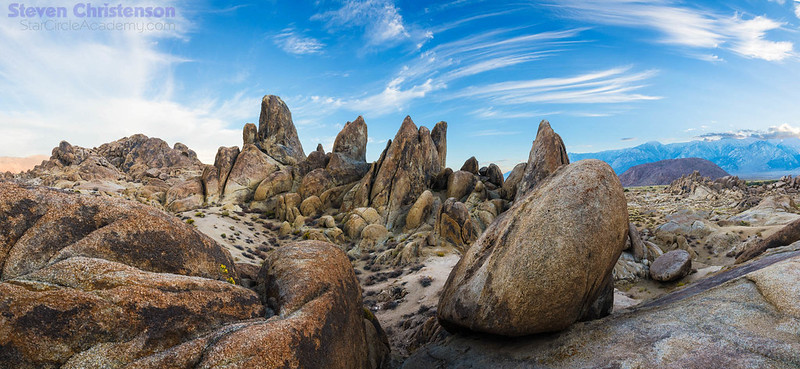
Rock Garden - Wide Range

Using a tripod correctly in terrain like this is a valuable (sanity preserving) skill

Still here? There is no substitute for using a sturdy tripod as we described earlier. However an improperly set-up tripod will give you a false sense of security.

Lets be sure we have terminology straight:

Feet: The part of the tripod that touches the ground – the bottom of the legs.
Legs: The (often telescoping) section of the tripod. Legs are made secure using
Leg Locks: which are of two general types: flip locks and screw locks (shown). We prefer the latter.
Leg Pivots: The upper side of the legs attach to the BASE where the legs can be made to pivot inward or outward. Usually there are options for specific pivot angles.
Tripod Base: The leg pivots are on the underside of the base.
Center Column & Center Column lock: If the tripod has an extensible section separate from the legs, it usually fits through the base and has a lock to secure the center column height. Some center columns also have a hook at the bottom (as shown).
Base Plate: The top surface of a center column (or the top surface of a base) to which the head is attached.
Head: The purpose of the head is to allow the camera to rotate and tilt. There are two principle types of heads: ball heads (shown) and pan/tilt heads.
Quick Release Clamp: the upper surface of the head usually has a clamp/plate system to make it easy to mount and unmount a camera. Arca-Swiss is the most popular clamp/plate system.
Quick Release Plate: attach securely to the camera and is held by the QR clamp.
Camera: the reason you have all the preceding stuff.


The Basics

Vertical: Your tripod should be vertical, specifically the center column (if you have one) should point straight up and down. The more vertical, the more stable the tripod is. By vertical, we don’t mean perpendicular to the ground – the ground may be sloping or irregular. The most common mistake people make is to set their tripods up so that it leans toward them.  Before you put your camera on your tripod, walk around the whole thing (safely) to judge the verticality.  You can even use a level (e.g. a smart phone app) against the center column to be sure it is vertical. Some tripods have a bubble level on the base – and some heads have a level on their base – that you can use to be sure your tripod base is level.

Notice tripod in the distance is leaning to the right (click for a bigger view)? That’s wrong!

Level: For many reasons, you want the base to be level (perpendicular to vertical). If your tripod is vertical, the base will be level. A level base makes panning (and thus panoramas) more accurate. If the base isn’t level rotating the camera may change the center of gravity causing wobble – or worse.

Legs: There are two adjustments here: the leg length and the leg spread. DO NOT fully extend the leg lengths – unless you are on flat, level ground. Adjust the legs so the base is level.

  • When on a slope, put two legs on the downhill side of the slope and one leg on the uphill side.
  • Place two legs at the front (that is where the camera is pointing) and one leg toward the rear.

If these two goals conflict, prefer two-legs downhill. A single leg at the front may intrude into a wide-angle shot. Most tripods have adjustable leg spreads. Each leg can form a medium, moderate or severe angle to the base. On irregular terrain, you may find that stability requires setting one or more legs at a different spread and different lengths. E.g. one leg is kept short at 90 degrees to allow that leg to rest on a boulder while the other two are more vertical. In a multi-segment tripod leg, the wider leg segments are more stable than the narrower ones, therefore:

  • Extend the wider leg segments fully before extending the narrower leg segments.

TIP 1: We find the screw-type leg locks to be the most secure and easiest to adjust. What we do is to grasp and loosen all the leg locks at once by a quarter turn. Fully extend all sections. Tighten the top locks fully (and middle locks – if you have 4 segment legs), then loosely tighten the smallest leg locks. When setting the tripod down you can gently push down each of the legs until it is vertical and level, then fully tighten the lower leg locks. Minor fine tuning can be achieved by loosening the upper leg locks.

  • If in windy conditions, set the tripod lower than normal and spread the legs wider. Also weight the system more heavily (see Weight, below).

Center Column (and tripod height): DO NOT extend the tripod fully just because you can. Extend the column as little as needed. The center column is useful for fine-tuning the height of the camera, but it raises the center of gravity and makes your tripod less stable. Likewise making your tripod as tall as possible makes it easier for gusty wind or and inadvertent bump to topple everything.

Tie-Stake Useful in some terrains

Weight: We HIGHLY recommend adding weight to your tripod. Many tripods have hooks on the underside of the base or on the bottom of the center column. We regularly hang our camera bag from that hook. But beware: if your camera bag is too light or bulky, you may end up adding a sail that catches the wind and creates instability. Some people bring weights, or bags they can fill on site with rocks or sand. But there are yet two more tricks you can employ:

  • Hang your camera bag so that it nearly touches the ground (by using a lower tripod position, or a strap between the bag and the tripod). Then place rocks or logs around the bag to keep the bag from swaying. Add heavy things in to the bag if you need more weight.
  • Bring a tie-down stake and a bungee cord. Screw the stake into the ground below your camera and snug the tripod hook to the stake with a bungee cord.


Straps: If you have shoulder or wrist straps on your camera we recommend using removable ones OR use twist ties or velcro wraps to secure the straps to your tripod so the straps do NOT catch the wind (or nearby objects). Shoulder straps can become like sails and even if they don’t catch enough wind to topple your tripod, they can induce vibration. We really like OP/Tech products, by the way. They are well designed and have never failed us.

Tip 2: One way to practice setting up a tripod is to do it indoors. Create un-even scenarios by resting one (or more) of the legs on a chair, wastebasket, etc. Practice getting the legs adjusted in a way that keeps the center column vertical and the base level.

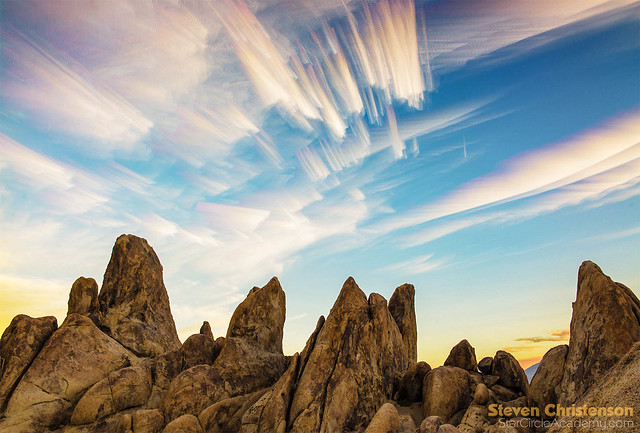
Sailors

Sailors: Timestack of 114 images during sunset/blue hour in Alabama Hills, California

Safety Checks

After setting up your tripod as described above, you can and should test the stability of your tripod/camera. WHILE HOLDING ON TO THE CAMERA STRAP(s) do each of these checks:

  1. Pull down on each of the legs gently. Make sure they don’t collapse/fold.
  2. After clamping the camera to the head and tensioning the head. Hold the camera snugly and try wriggling the camera out of the clamp. Watch carefully for wobble and hold on securely in case the camera does come out of the clamp.
  3. Hold the camera, release tension on the head and let the camera gently flop. Make sure that when the camera flops the system doesn’t topple.
  4. Leave the camera in its flopped state and rotate 360 degrees checking for wobble.
  5. Repoint the camera, tighten the tension and gently bump the camera. Make sure there is no wobble.
  6. Bump each of the legs. Make sure the legs don’t become dislodged and the spread doesn’t change.
  7. Take one more lap around your camera checking for verticality and possible instability – e.g. a log, tree branch, stick or rock that could bump your tripod.

Is all of the above really necessary? Well, no. You don’t have to do any of that… unless you want to protect your equipment and take nice stable photos.

Here is my son with the tripod legs set wide, and the center column inverted to get the camera low to the ground.Photographer at Work [5_005398]

Want tips on other gear to carry… see this article. Would you like to see all of our best tips in one place? Try this article. Have a great tip on tripods we should know? Please share it in a comment!

You Need a Good Head and Great Legs

Published: December 24, 2017

Me (to wife): “My head is unstable and I have ordered a new, $300 one.”
(wife): “I knew about the instability, but I didn’t realize you could buy a new one.”

Tripod and Panoramic Head in action

If you search around the internet you will find plenty of product reviews. One of the best reviews I ever read said something like this: “Save one thousand dollars by buying the right gear now instead of later”. He proceeded to describe how cheap tripod legs and cheap heads ended up costing more than had he bought the good gear from the beginning.

Wait, “heads?”, “legs?”

There are four parts to a tripod that are important to get right: legs, head, release, mounting plate.


But First… A Short Commercial

Merry Christmas and Happy Holidays! Harold Davis and I will be conducting a workshop that you may want to attend. Registration is through Harold’s web site.

Tripod Anatomy

  1. Legs – The part that touches the ground, and yes the bottom of the legs is called the feet.
  2. Head – The part that is attached to the top of the legs and provides the ability to rotate and tilt the camera at various angles.
  3. (Quick) Release system – The method by which the Head can attach to the camera via…
  4. Quick Release plate – the part that you attach to the camera and mate to the release system. You can directly screw your camera on to many different heads, but you do not want to do that because it is really, really inconvenient.

If any bit of those is wrong, you have an unstable or even equipment-hazardous situation. Trust me, I started with “K-Mart” tripods (had 3 – each of which didn’t last long), 2 Manfrotto aluminum tripods (one is broken), and ONE Gitzo carbon fiber tripod. I have also owned at least 9 different heads including a pan-tilt head, SunFoto, Manfroto, Acratech, and a gaggle of off brands. The ball heads were bought for various purposes. I have also dealt with 3 different kinds of attachment systems: direct screw-in to the camera (really inconvenient), Manfroto style plate clamp (better), and Arca Swiss clamp (best of the bunch). I have also used a gaggle of different “quick release” plates from cheap off-the shelf, to custom made for my camera(s), including L-Brackets.

Trial By Fire

Trust me when I tell you I have discovered a lot of what not to buy, and can say confidently that if you want a stable, good quality camera support system you need to get all four components right. And doubly so for night photography where long exposures REQUIRE a tripod or other solid support system. My tripods have been to the top of Half Dome, Mount Whitney and Clouds Rest. I have used the “legs” as a walking stick to keep me from falling into rivers and ravines, to test stability of the ground before taking a step.

Many Paths to Failure – Plate and Clamps

Let me provide some examples of the myriad of ways things can go wrong: all of them have happened to me, by the way.

If the quick release plate is attached with a low quality screw or bolt… the bolt could snap and your camera and lens will tumble to the ground.

If the quick release plate is difficult to get a snug fit (or requires a special tool that you do not have with you), your camera will wobble or twist in the breeze no matter how stable everything else is.

If the plate is difficult to get into the latch (release clamp), you may think you have it ready to go, only to see your camera fall off the tripod onto the ground or down a granite staircase.

If the plate you have on the camera does not mate with the clamp on your tripod… oops. You’ve lugged your equipment for nothing.

If everything is solid except the clamp does not snug down well, you have wobble and ruined photos.

… and we have not even gotten to the head or the legs yet!

More Failure: Head and Legs

If your head requires superhuman strength to keep it from creeping under the weight of your camera and lens (or super human strength to undo it)… you get either painful fingers or a “sinking” camera angle.

If the tensioning on the head is either locked-like-super-glue or floppy-as-a-wet-rag, you may either have to give up aiming the shot as you want, miss the shot, or have the rig flop over when the camera does. And the flopping camera may pinch your hand, or mash your fingers or smack you in the face (Reminder: All these have happened to me!)

Even if the leg locks seem to be working well, unusually cold (or hot) weather may render the locks ineffective and your tripod may slowly – or suddenly – fall over.

If the legs cannot be adjusted wide-enough or accurately-enough or low-enough, a breeze or strong gust of wind may blow your rig over.

If the fully extended legs are so short that you fully extend the center column to keep from hunching over and hurting your back – you have turned your tripod into a wide-stance monopod that may not be able to bear the load.

If your center column has a tightening collar or wing nut directly below the weight of your camera, you may accidentally over loosen the column causing the camera to slide down and pinch the living daylights out of your hand.

If your legs are spindly, they may induce vibration, or just snap when you accidentally bump them.

… I could go on … but I am hoping you understand how hard knocks, broken lenses, and broken tripod components all add up to a severe lack of enthusiasm for all but the best built of components.

Recommendations?

So here is where you might expect me to make recommendations, right? I usually avoid making recommendations because gear changes, and people have different reasons for choosing what they do. My criteria are pretty simple: I want stability, versatility, durability, and light-weight – in about that order.  While the first three seem to be pretty obvious criteria, the light-weight aspect was something I learned over time, too. It was a chore to lug my > 8 pound aluminum leg Manfrotto with a Manfrotto head to the top of Half Dome. By comparison my < 4.5 pound Gitzo plus Acratech head seemed like a feather. Manfrotto made a smart move when they bought Gitzo.

You might have noticed that I did not list price as important. It used to be, but too many failed choices made me realize that choices that are less than great become costlier in the long run.  In a similar vein I bought half a dozen sleeping bags hoping to get something lightweight and WARM until I finally spent almost $300 on a bag (Big Agnes Lost Ranger) and pad that provided the most comfortable, warm sleep – and was also lightweight. I’ve spent more for a single night in a hotel than for the sleeping bag, but that bag has kept me snoozing on many chilly nights in the wilderness. Indeed one night I had TWO cheap sleeping bags nested inside one another while in a tent in Grandview Campground at 8,600 feet on White Mountain and I was still shivering. The next time I went with my Big Agnes. The night was even colder, but I was snug as a bug in a rug.

I had similar experiences with camera backpacks. I liked the design of a Tamron bag. It lasted about a year until the zipper broke. The second bag lasted less than a year. By contrast, my F-stop Tilopa bag has been all over the world over 4 years now – sometimes as my primary and only luggage. To say I’m happy with its durability would be an understatement – and that it cost me 4 times as much as one Tamron bag ($320 vs $95), means I’ve broken even so far – without the inconvenience of dealing with broken gear.

What About A Ball Head And Tripod Legs?

Acratech GPS-s

  • Acratech Head (pretty much any one), but the GP-s is a nicely designed lightweight capable head unless you have a huge camera.
  • Gitzo carbon fiber legs, but NOT the Traveler series which is too flimsy and too short.
    I specifically recommend the Mountaineer Series 2. It is the best trade-off between weight, stability and usable height.  If you’re willing to pay a penalty in extra pounds, the Systematic series (3, 4, or 5) are good except for two things: The Systematic doesn’t have a center column and sometimes that column is useful – like when trying to shoot straight up since the camera may end up hanging partially below the level of the head. The other thing about a series 5 Systemic that bothered me was that I was shocked to discover that the leg locks must be untightened in a specific order to fold it all up because if an upper leg is not tight, the lock on the lower leg will just spin. The mountaineer doesn’t require that silliness.
  • Really Right Stuff with carbon fiber legs. Pretty much all of them are well done, light and sturdy.  The RRS ball heads are good too, it’s just that they are all heavy, heavy, heavy.

But, but those are expensive choices! Yes. I suppose paying $430 USD for a good head and $950 USD for good legs sounds like an excessive amount of money. But: how much did your camera and lens cost? How much will your back thank you for carrying a smaller load?  And finally, how much are you willing to risk watching your camera and lens flop over in a gust of wind?

Disclaimer

I write what I know – not what people or manufacturers or merchants ASK me to write. I paid retail price to purchase all the gear I’ve discussed. In other words, these are honest, unbiased, hard won evaluations of various gear. If you can purchase this gear at a local store, I recommend that you do so. You may spend a little more, but there is serious value to talking to real people, testing out gear in person, and in keeping a local business viable.

One Reason To Consider the Alabama Hills Workshop... The awesome landscapes